目录
使用JavaScript技术,设计如下的一款小游戏:小乌龟推箱子。
为了减少代码量,可以使用jQuery库来实现

游戏介绍
游戏名称: 推箱子
游戏类型: 智力拼图
游戏目标: 玩家需要控制角色在迷宫中推动箱子,将它们放置到指定的位置来完成关卡。
游戏玩法说明
-
游戏界面:
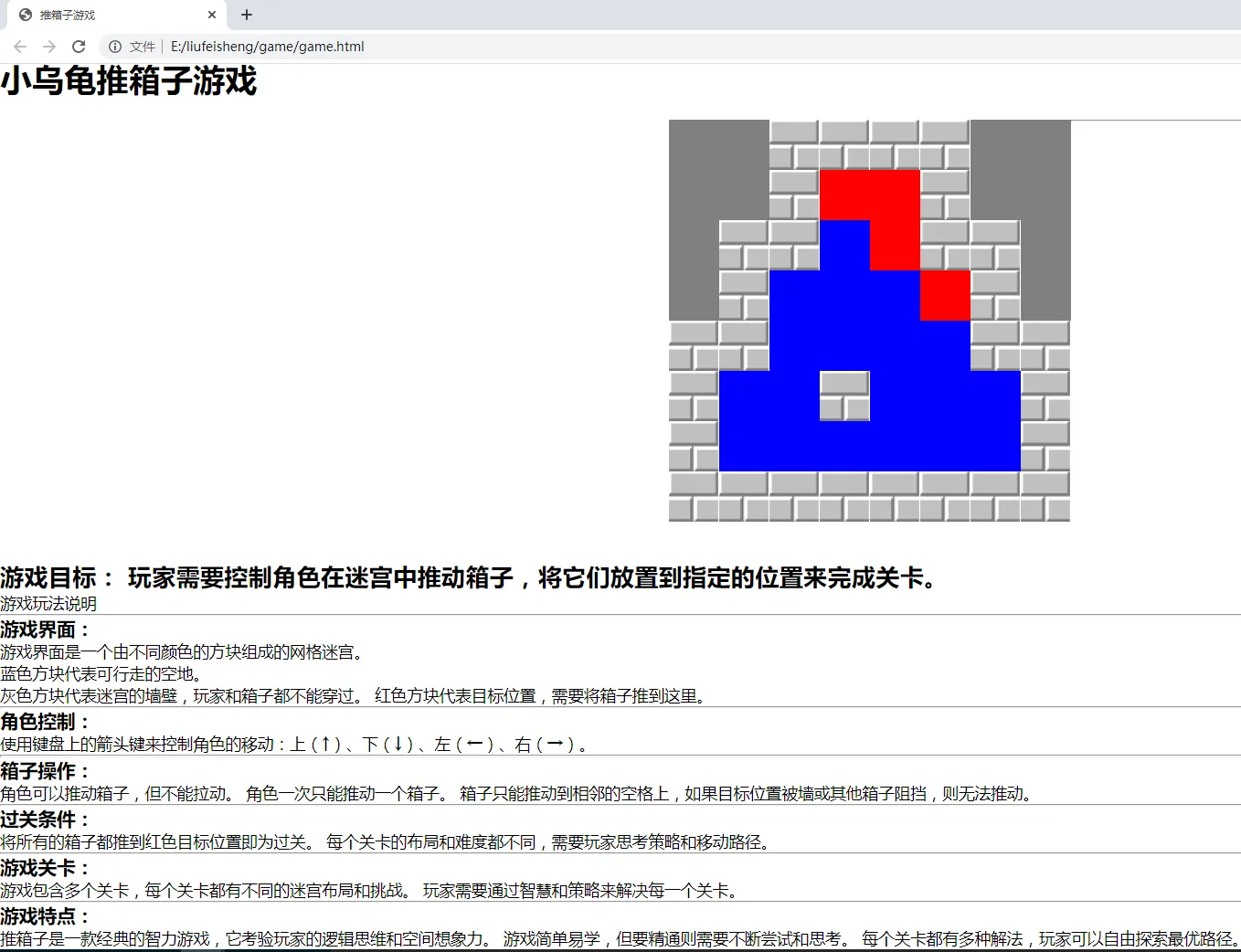
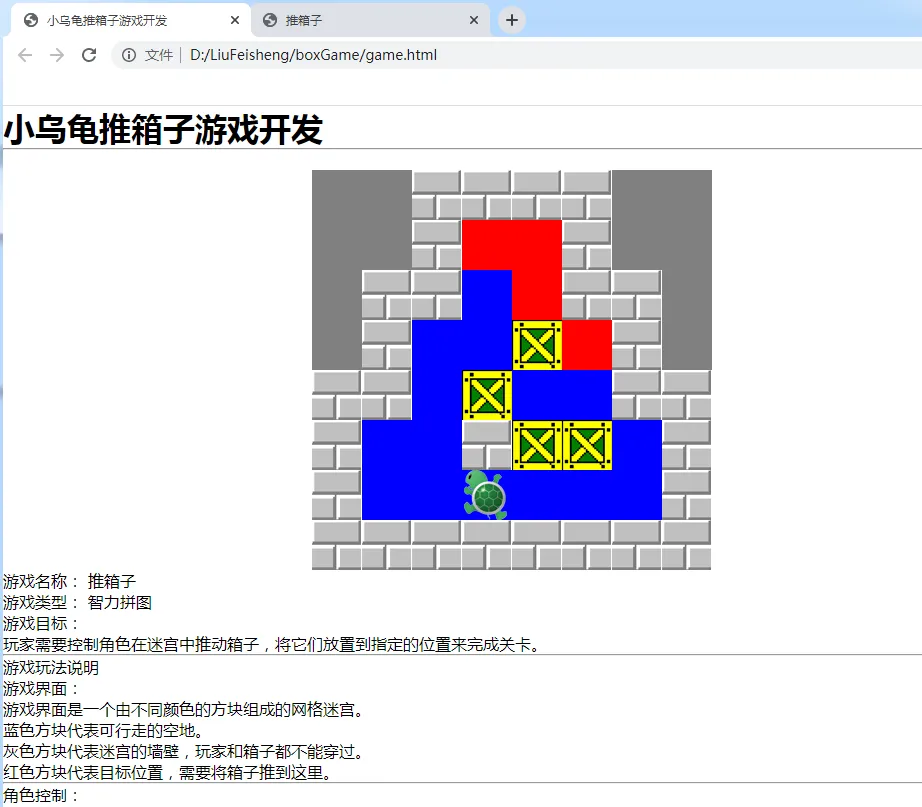
- 游戏界面是一个由不同颜色的方块组成的网格迷宫。
- 蓝色方块代表可行走的空地。
- 灰色方块代表迷宫的墙壁,玩家和箱子都不能穿过。
- 红色方块代表目标位置,需要将箱子推到这里。
-
角色控制:
- 使用键盘上的箭头键来控制角色的移动:上(↑)、下(↓)、左(←)、右(→)。
-
箱子操作:
- 角色可以推动箱子,但不能拉动。
- 角色一次只能推动一个箱子。
- 箱子只能推动到相邻的空格上,如果目标位置被墙或其他箱子阻挡,则无法推动。
-
过关条件:
- 将所有的箱子都推到红色目标位置即为过关。
- 每个关卡的布局和难度都不同,需要玩家思考策略和移动路径。
-
游戏关卡:
- 游戏包含多个关卡,每个关卡都有不同的迷宫布局和挑战。
- 玩家需要通过智慧和策略来解决每一个关卡。
-
游戏特点:
- 推箱子是一款经典的智力游戏,它考验玩家的逻辑思维和空间想象力。
- 游戏简单易学,但要精通则需要不断尝试和思考。
- 每个关卡都有多种解法,玩家可以自由探索最优路径。
游戏关卡数据
以下是游戏关卡数据,可以直接在游戏中复制引用
pass : [    //每一关的数据
				{
					maps : [
						1,1,3,3,3,3,1,1,
						1,1,3,2,2,3,1,1,
						1,3,3,0,2,3,3,1,
						1,3,0,0,0,2,3,1,
						3,3,0,0,0,0,3,3,
						3,0,0,3,0,0,0,3,
						3,0,0,0,0,0,0,3,
						3,3,3,3,3,3,3,3
					],
					cols : 8,
					boxs : [
						{ x : 4 , y : 3 },
						{ x : 3 , y : 4 },
						{ x : 4 , y : 5 },
						{ x : 5 , y : 5 }
					],
					person : { x : 3 , y : 6 }
				},
				{
					maps : [
						1,1,1,1,3,3,3,3,3,3,3,1,
						1,1,1,1,3,0,0,3,0,0,3,1,
						1,1,1,1,3,0,0,0,0,0,3,1,
						3,3,3,3,3,0,0,3,0,0,3,1,
						2,2,2,3,3,3,0,3,0,0,3,3,
						2,0,0,3,0,0,0,0,3,0,0,3,
						2,0,0,0,0,0,0,0,0,0,0,3,
						2,0,0,3,0,0,0,0,3,0,0,3,
						2,2,3,3,3,3,0,3,0,0,3,3,
						3,3,3,3,3,0,0,0,0,0,3,1,
						1,1,1,1,3,0,0,3,0,0,3,1,
						1,1,1,1,3,3,3,3,3,3,3,1

					],
					cols : 12,
					boxs : [
						{x : 5 , y : 6},
						{x : 6 , y : 3},
						{x : 6 , y : 5},
						{x : 6 , y : 7},
						{x : 6 , y : 9},
						{x : 7 , y : 2},
						{x : 8 , y : 2},
						{x : 9 , y : 6}
					],
					person : { x : 5 , y : 9 }
				}

			]
游戏设计
首先一个名为 game 的对象,包含了推箱子游戏的主要功能。以下是 game 对象中给出以下各个功能函数:
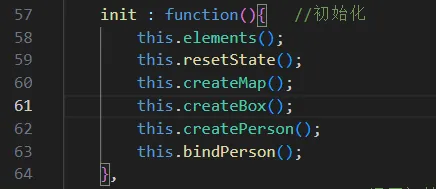
- init() - 初始化函数:
- 调用其他函数来设置游戏的初始状态,包括元素的创建、地图的生成、箱子和角色的创建以及绑定键盘操作。
- resetState() - 重置状态函数:
- 清空游戏界面并移除键盘事件监听,以便重新初始化游戏。
- elements() - 元素接收函数:
- 设置游戏所需的元素和数据,如游戏地图、列数、箱子位置、角色位置等。
- createMap() - 创建地图函数:
- 根据
maps数组生成游戏地图的HTML元素,每个元素对应地图上的一个格子。
- createBox() - 创建箱子函数:
- 根据
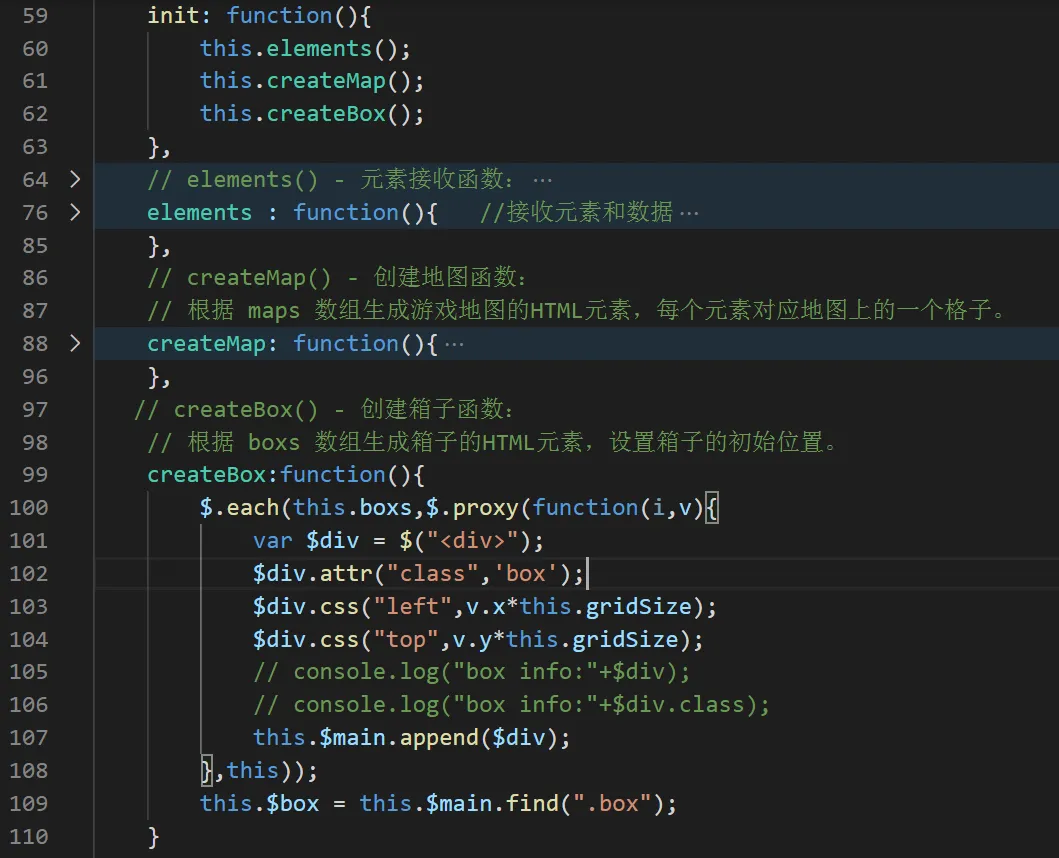
boxs数组生成箱子的HTML元素,设置箱子的初始位置。
- createPerson() - 创建人物函数:
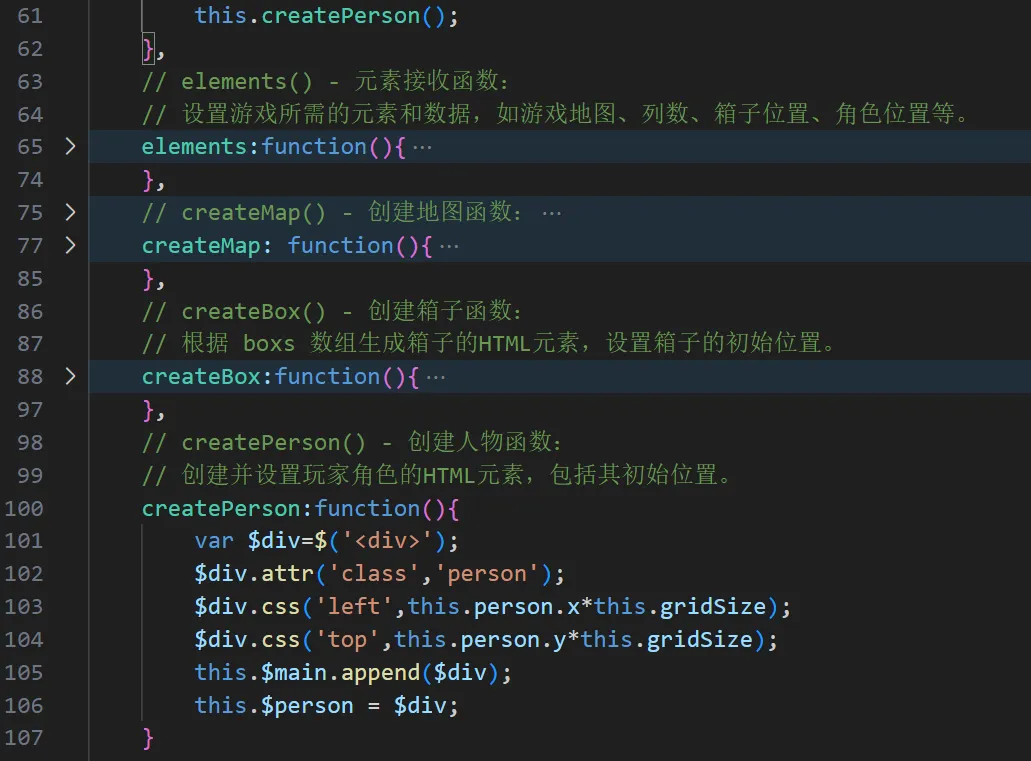
- 创建并设置玩家角色的HTML元素,包括其初始位置。
- bindPerson() - 绑定人物操作函数:
- 绑定键盘事件,根据玩家按键操作来控制角色移动。
- movePerson(opts) - 移动人物函数:
- 根据传入的选项(如
{x: -1, y: 0}表示向左移动)来更新角色的位置,并检查是否撞墙或推动箱子。
- isWall(opts) - 判断是否是墙函数:
- 检查角色尝试移动的方向是否有墙壁阻挡。
- moveBox(opts) - 移动箱子函数:
- 检查角色是否推动箱子,并相应地更新箱子的位置。同时检查是否有其他箱子阻碍移动。
- isNextPass() - 是否进入下一关函数:
- 检查所有箱子是否都已推到目标位置,如果是,则允许玩家进入下一关。
- pz(elem2) - 碰撞检测函数:
- 检测两个元素(如角色和箱子或箱子和目标位置)是否发生碰撞。
这些函数共同工作,提供了推箱子游戏的核心功能,包括游戏初始化、界面渲染、玩家输入处理、游戏逻辑判断和关卡管理等。
其中游戏地图是由基本数字生成的,每一关的地图都是不一样的。使地图形成网格,数组的每一个元素就是地图元素。
操作步骤
第一部分内容:搭建游戏界面,静态部分
第1次课课堂实现
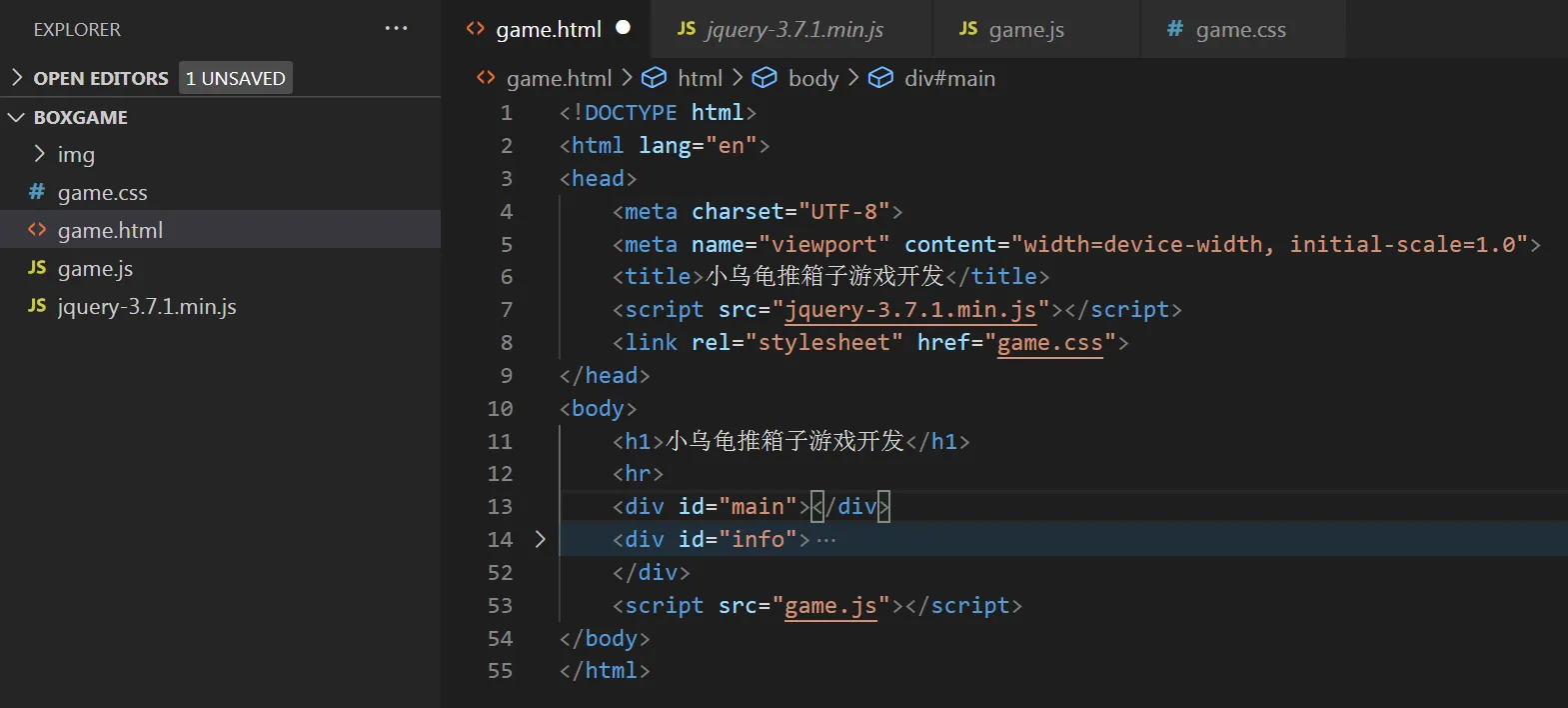
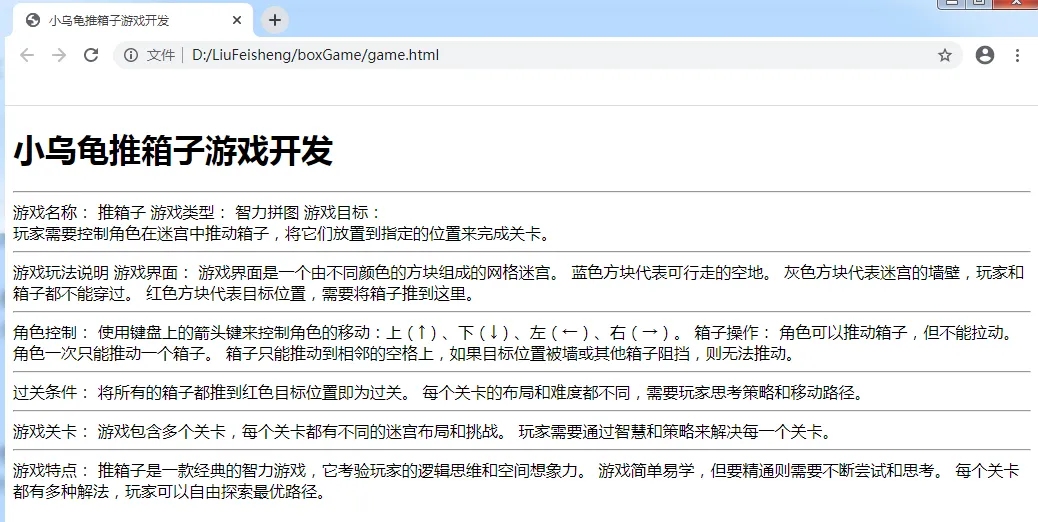
首先搭建文件框架,将html、css、js等文件导入,加入游戏基本说明之类的内容。 把jquery\图片等元素放到一个项目文件中。
 效果如下
效果如下
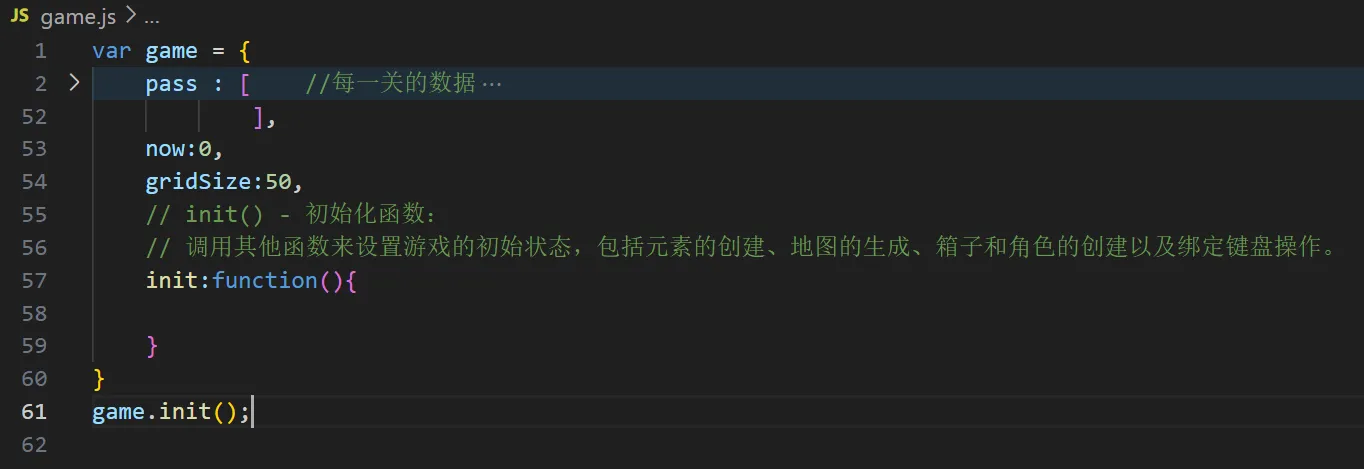
- init() - 初始化函数:
- 调用其他函数来设置游戏的初始状态,包括元素的创建、地图的生成、箱子和角色的创建以及绑定键盘操作。 在JS中创建以上游戏数据,然后设置初始关卡now和网格大小gridSize ,设置初始游戏方法
- 设置游戏样式
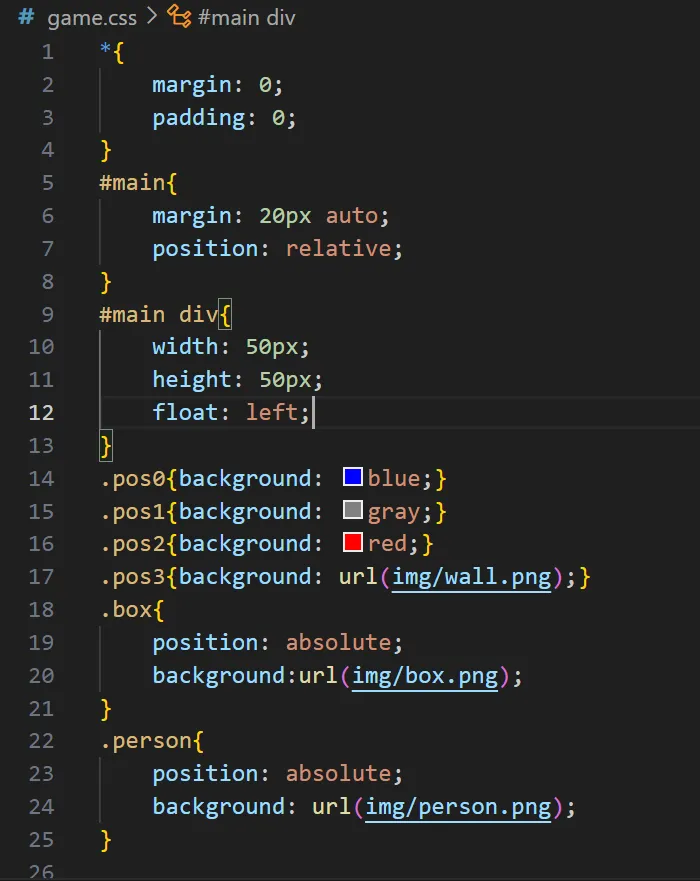
- elements() - 元素接收函数:
- 设置游戏所需的元素和数据,如游戏地图、列数、箱子位置、角色位置等。

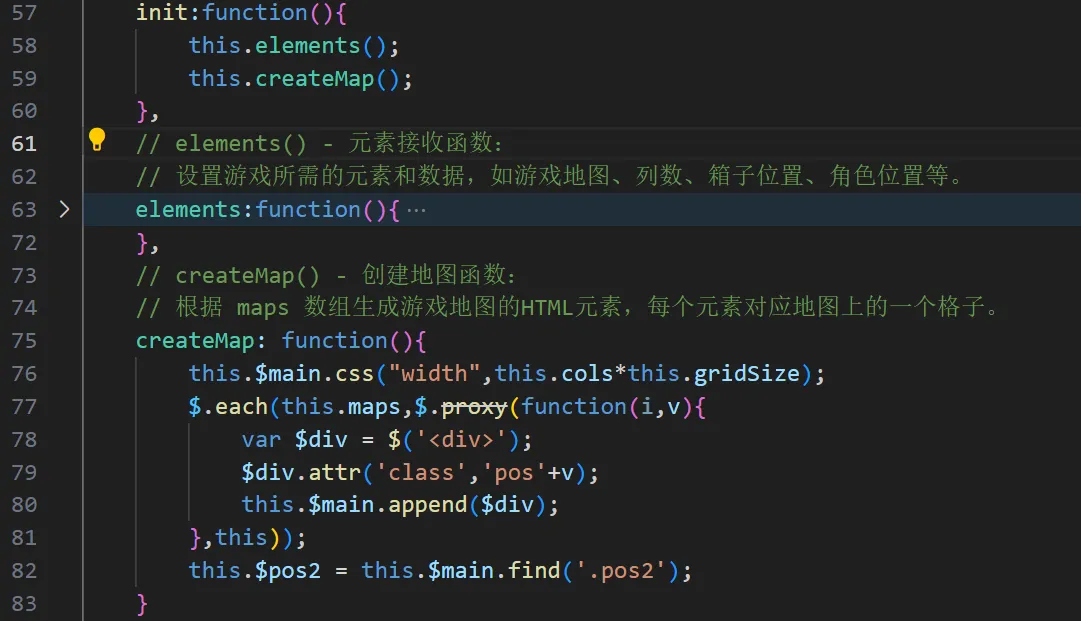
- createMap() - 创建地图函数:
- 根据 maps 数组生成游戏地图的HTML元素,每个元素对应地图上的一个格子。
- 细节调整
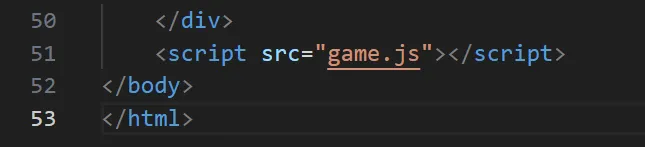
- js代码引用,需要放在body里面
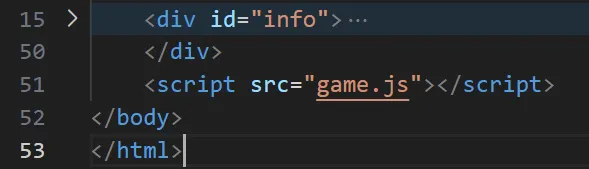
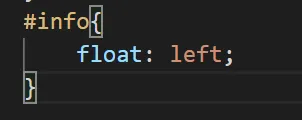
- css调整,游戏信息说明放在游戏界面之下
目前效果图如下
- createBox() - 创建箱子函数:
- 根据 boxs 数组生成箱子的HTML元素,设置箱子的初始位置。
- createPerson() - 创建人物函数:
- 创建并设置玩家角色的HTML元素,包括其初始位置。
目前游戏界面已经搭建好了,如下图所示:
以下是到目前为止的相关代码
html
<!DOCTYPE html>
<html lang="en">
<head>
    <meta charset="UTF-8">
    <meta name="viewport" content="width=device-width, initial-scale=1.0">
    <title>小乌龟推箱子游戏开发</title>
    <script src="jquery-3.7.1.min.js"></script>
    <link rel="stylesheet" href="game.css">
</head>
<body>
    <h1>小乌龟推箱子游戏开发</h1>
    <hr>
    <div id="main"></div>
    <div id="info">
        游戏名称: 推箱子<br>

游戏类型: 智力拼图<br>

游戏目标: <br>
玩家需要控制角色在迷宫中推动箱子,将它们放置到指定的位置来完成关卡。

<hr>
游戏玩法说明<br>
游戏界面:<br>

游戏界面是一个由不同颜色的方块组成的网格迷宫。<br>
蓝色方块代表可行走的空地。<br>
灰色方块代表迷宫的墙壁,玩家和箱子都不能穿过。<br>
红色方块代表目标位置,需要将箱子推到这里。<hr>
角色控制:<br>

使用键盘上的箭头键来控制角色的移动:上(↑)、下(↓)、左(←)、右(→)。
箱子操作:<br>

角色可以推动箱子,但不能拉动。
角色一次只能推动一个箱子。
箱子只能推动到相邻的空格上,如果目标位置被墙或其他箱子阻挡,则无法推动。<hr>
过关条件:<br>

将所有的箱子都推到红色目标位置即为过关。
每个关卡的布局和难度都不同,需要玩家思考策略和移动路径。<hr>
游戏关卡:<br>

游戏包含多个关卡,每个关卡都有不同的迷宫布局和挑战。
玩家需要通过智慧和策略来解决每一个关卡。<hr>
游戏特点:<br>

推箱子是一款经典的智力游戏,它考验玩家的逻辑思维和空间想象力。
游戏简单易学,但要精通则需要不断尝试和思考。
每个关卡都有多种解法,玩家可以自由探索最优路径。

    </div>
    <script src="game.js"></script>
</body>
</html>
css
*{
    margin: 0;
    padding: 0;
}
#main{
    margin: 20px auto;
    position: relative;
}
#main div{ width: 50px; height: 50px; float: left; }
.pos0{background: blue;}
.pos1{background: gray;}
.pos2{background: red;}
.pos3{background: url(img/wall.png);}
.box{
    position: absolute;
    background: url(img/box.png);
}
.person{
    position: absolute;
    background: url(img/person.png);
}
#info{
    float: left;
}
js代码
var game = {
    pass : [    //每一关的数据
        {
            maps : [
                1,1,3,3,3,3,1,1,
                1,1,3,2,2,3,1,1,
                1,3,3,0,2,3,3,1,
                1,3,0,0,0,2,3,1,
                3,3,0,0,0,0,3,3,
                3,0,0,3,0,0,0,3,
                3,0,0,0,0,0,0,3,
                3,3,3,3,3,3,3,3
            ],
            cols : 8,
            boxs : [
                { x : 4 , y : 3 },
                { x : 3 , y : 4 },
                { x : 4 , y : 5 },
                { x : 5 , y : 5 }
            ],
            person : { x : 3 , y : 6 }
        },
        {
            maps : [
                1,1,1,1,3,3,3,3,3,3,3,1,
                1,1,1,1,3,0,0,3,0,0,3,1,
                1,1,1,1,3,0,0,0,0,0,3,1,
                3,3,3,3,3,0,0,3,0,0,3,1,
                2,2,2,3,3,3,0,3,0,0,3,3,
                2,0,0,3,0,0,0,0,3,0,0,3,
                2,0,0,0,0,0,0,0,0,0,0,3,
                2,0,0,3,0,0,0,0,3,0,0,3,
                2,2,3,3,3,3,0,3,0,0,3,3,
                3,3,3,3,3,0,0,0,0,0,3,1,
                1,1,1,1,3,0,0,3,0,0,3,1,
                1,1,1,1,3,3,3,3,3,3,3,1

            ],
            cols : 12,
            boxs : [
                {x : 5 , y : 6},
                {x : 6 , y : 3},
                {x : 6 , y : 5},
                {x : 6 , y : 7},
                {x : 6 , y : 9},
                {x : 7 , y : 2},
                {x : 8 , y : 2},
                {x : 9 , y : 6}
            ],
            person : { x : 5 , y : 9 }
        }

    ],
    now : 0,   //初始关卡
    girdSize : 50,  //网格大小
    init : function(){   //初始化
        this.elements();
        this.resetState();
        this.createMap();
        this.createBox();
        this.createPerson();
        this.bindPerson();
    },
    resetState : function(){   //还原初始状态
        this.$main.empty();
        $(document).off('keydown');
    },
    elements : function(){   //接收元素和数据
        this.$main = $('#main');
        this.$person = null;
        this.$box = null;
        this.$pos2 = null;
        this.maps = this.pass[this.now].maps;
        this.cols = this.pass[this.now].cols;
        this.boxs = this.pass[this.now].boxs;
        this.person = this.pass[this.now].person;
    },
    createMap : function(){   //创建地图
        this.$main.css('width', this.cols * this.girdSize );
        $.each(this.maps,$.proxy(function(i,v){
            var $div = $('<div>');
            $div.attr('class','pos'+v);
            this.$main.append($div);
        },this));
        this.$pos2 = this.$main.find('.pos2');
    },
    createBox : function(){   //创建箱子
        $.each(this.boxs,$.proxy(function(i,v){
            var $div = $('<div>');
            $div.attr('class','box');
            $div.css('left' , v.x * this.girdSize);
            $div.css('top' , v.y * this.girdSize);
            this.$main.append($div);
        },this));
        this.$box = this.$main.find('.box');
    },
    createPerson : function(){   //创建人物
        var $div = $('<div>');
        $div.attr('class','person');
        $div.css('left',this.person.x * this.girdSize);
        $div.css('top',this.person.y * this.girdSize);
        this.$main.append($div);
        this.$person = $div;
    }


};

game.init();
但目前仅仅是静止状态,后面将要让游戏角色及界面动起来
第二部分:操作角色,让游戏界面动起来
第2次课内容
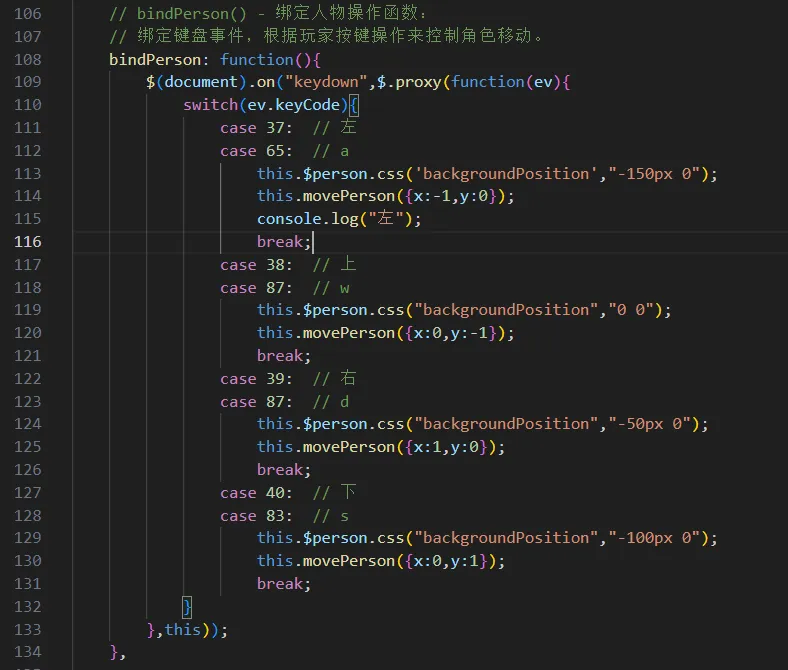
2.1 bindPerson() - 绑定人物操作函数:
- 绑定键盘事件,根据玩家按键操作来控制角色移动。
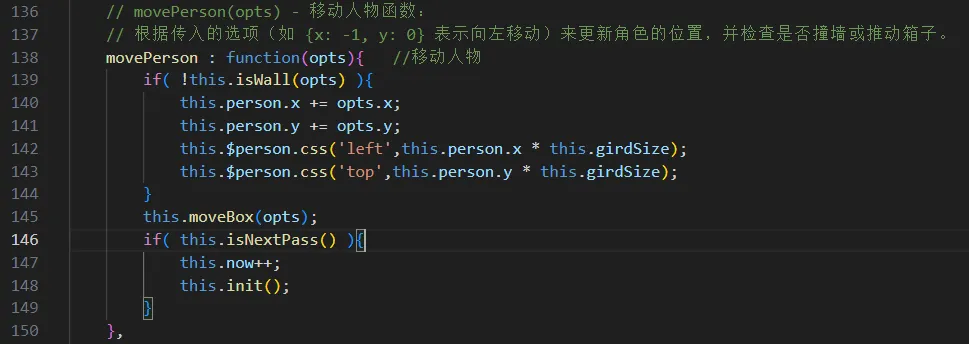
 2.2 movePerson(opts) - 移动人物函数:
- 根据传入的选项(如 {x: -1, y: 0} 表示向左移动)来更新角色的位置,并检查是否撞墙或推动箱子。
 2.3 isWall(opts) - 判断是否是墙函数:
- 检查角色尝试移动的方向是否有墙壁阻挡。
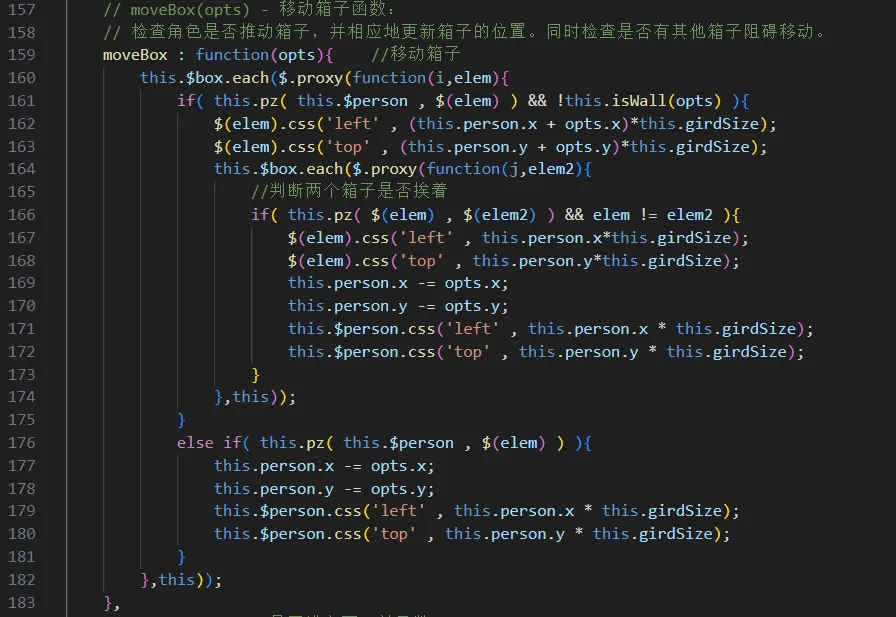
 2.4 moveBox(opts) - 移动箱子函数:
- 检查角色是否推动箱子,并相应地更新箱子的位置。同时检查是否有其他箱子阻碍移动。
 2.5 isNextPass() - 是否进入下一关函数:
- 检查所有箱子是否都已推到目标位置,如果是,则允许玩家进入下一关。
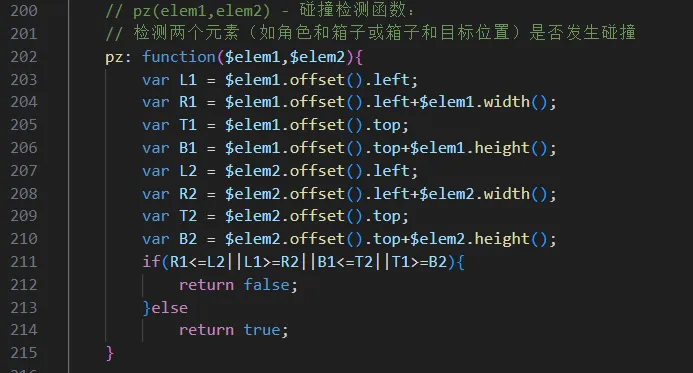
 2.6 pz(elem1,elem2) - 碰撞检测函数:
- 检测两个元素(如角色和箱子或箱子和目标位置)是否发生碰撞
最终的js代码
var game = {
    pass : [    //每一关的数据
        {
            maps : [
                1,1,3,3,3,3,1,1,
                1,1,3,2,2,3,1,1,
                1,3,3,0,2,3,3,1,
                1,3,0,0,0,2,3,1,
                3,3,0,0,0,0,3,3,
                3,0,0,3,0,0,0,3,
                3,0,0,0,0,0,0,3,
                3,3,3,3,3,3,3,3
            ],
            cols : 8,
            boxs : [
                { x : 4 , y : 3 },
                { x : 3 , y : 4 },
                { x : 4 , y : 5 },
                { x : 5 , y : 5 }
            ],
            person : { x : 3 , y : 6 }
        },
        {
            maps : [
                1,1,1,1,3,3,3,3,3,3,3,1,
                1,1,1,1,3,0,0,3,0,0,3,1,
                1,1,1,1,3,0,0,0,0,0,3,1,
                3,3,3,3,3,0,0,3,0,0,3,1,
                2,2,2,3,3,3,0,3,0,0,3,3,
                2,0,0,3,0,0,0,0,3,0,0,3,
                2,0,0,0,0,0,0,0,0,0,0,3,
                2,0,0,3,0,0,0,0,3,0,0,3,
                2,2,3,3,3,3,0,3,0,0,3,3,
                3,3,3,3,3,0,0,0,0,0,3,1,
                1,1,1,1,3,0,0,3,0,0,3,1,
                1,1,1,1,3,3,3,3,3,3,3,1

            ],
            cols : 12,
            boxs : [
                {x : 5 , y : 6},
                {x : 6 , y : 3},
                {x : 6 , y : 5},
                {x : 6 , y : 7},
                {x : 6 , y : 9},
                {x : 7 , y : 2},
                {x : 8 , y : 2},
                {x : 9 , y : 6}
            ],
            person : { x : 5 , y : 9 }
        }

    ],
    now : 0,   //初始关卡
    girdSize : 50,  //网格大小
    init : function(){   //初始化
        this.elements();
        this.resetState();
        this.createMap();
        this.createBox();
        this.createPerson();
        this.bindPerson();
    },
    resetState : function(){   //还原初始状态
        this.$main.empty();
        $(document).off('keydown');
    },
    elements : function(){   //接收元素和数据
        this.$main = $('#main');
        this.$person = null;
        this.$box = null;
        this.$pos2 = null;
        this.maps = this.pass[this.now].maps;
        this.cols = this.pass[this.now].cols;
        this.boxs = this.pass[this.now].boxs;
        this.person = this.pass[this.now].person;
    },
    createMap : function(){   //创建地图
        this.$main.css('width', this.cols * this.girdSize );
        $.each(this.maps,$.proxy(function(i,v){
            var $div = $('<div>');
            $div.attr('class','pos'+v);
            this.$main.append($div);
        },this));
        this.$pos2 = this.$main.find('.pos2');
    },
    createBox : function(){   //创建箱子
        $.each(this.boxs,$.proxy(function(i,v){
            var $div = $('<div>');
            $div.attr('class','box');
            $div.css('left' , v.x * this.girdSize);
            $div.css('top' , v.y * this.girdSize);
            this.$main.append($div);
        },this));
        this.$box = this.$main.find('.box');
    },
    createPerson : function(){   //创建人物
        var $div = $('<div>');
        $div.attr('class','person');
        $div.css('left',this.person.x * this.girdSize);
        $div.css('top',this.person.y * this.girdSize);
        this.$main.append($div);
        this.$person = $div;
    },
    // bindPerson() - 绑定人物操作函数:
    // 绑定键盘事件,根据玩家按键操作来控制角色移动。
    bindPerson: function(){
        $(document).on("keydown",$.proxy(function(ev){
            switch(ev.keyCode){
                case 37:  // 左
                case 65:  // a
                    this.$person.css('backgroundPosition',"-150px 0");
                    this.movePerson({x:-1,y:0});
                    console.log("左");
                    break;
                case 38:  // 上
                case 87:  // w
                    this.$person.css("backgroundPosition","0 0");
                    this.movePerson({x:0,y:-1});
                    break;
                case 39:  // 右
                case 87:  // d
                    this.$person.css("backgroundPosition","-50px 0");
                    this.movePerson({x:1,y:0});
                    break;
                case 40:  // 下
                case 83:  // s
                    this.$person.css("backgroundPosition","-100px 0");
                    this.movePerson({x:0,y:1});
                    break;
            }
        },this));
    },

    // movePerson(opts) - 移动人物函数:
    // 根据传入的选项(如 {x: -1, y: 0} 表示向左移动)来更新角色的位置,并检查是否撞墙或推动箱子。
    movePerson : function(opts){   //移动人物
        if( !this.isWall(opts) ){
            this.person.x += opts.x;
            this.person.y += opts.y;
            this.$person.css('left',this.person.x * this.girdSize);
            this.$person.css('top',this.person.y * this.girdSize);
        }
        this.moveBox(opts);
        if( this.isNextPass() ){
            this.now++;
            this.init();
        }
    },
    // isWall(opts) - 判断是否是墙函数:
    // 检查角色尝试移动的方向是否有墙壁阻挡。
    isWall:function(opts){
        var num = this.maps[(this.person.y+opts.y)*this.cols+(this.person.x+opts.x)];
        return num == 3?true:false;
    },
    // moveBox(opts) - 移动箱子函数:
    // 检查角色是否推动箱子,并相应地更新箱子的位置。同时检查是否有其他箱子阻碍移动。
    moveBox : function(opts){    //移动箱子
        this.$box.each($.proxy(function(i,elem){
            if( this.pz( this.$person , $(elem) ) && !this.isWall(opts) ){
                $(elem).css('left' , (this.person.x + opts.x)*this.girdSize);
                $(elem).css('top' , (this.person.y + opts.y)*this.girdSize);
                this.$box.each($.proxy(function(j,elem2){
                    //判断两个箱子是否挨着
                    if( this.pz( $(elem) , $(elem2) ) && elem != elem2 ){
                        $(elem).css('left' , this.person.x*this.girdSize);
                        $(elem).css('top' , this.person.y*this.girdSize);
                        this.person.x -= opts.x;
                        this.person.y -= opts.y;
                        this.$person.css('left' , this.person.x * this.girdSize);
                        this.$person.css('top' , this.person.y * this.girdSize);
                    }
                },this));
            }
            else if( this.pz( this.$person , $(elem) ) ){
                this.person.x -= opts.x;
                this.person.y -= opts.y;
                this.$person.css('left' , this.person.x * this.girdSize);
                this.$person.css('top' , this.person.y * this.girdSize);
            }
        },this));
    },
    // isNextPass() - 是否进入下一关函数:
    // 检查所有箱子是否都已推到目标位置,如果是,则允许玩家进入下一关。
    isNextPass:function(){
        var count = 0;
        this.$box.each($.proxy(function(i,elem){
            this.$pos2.each($.proxy(function(j,elem2){
                if(this.pz($(elem),$(elem2))){
                    count++;
                }
            },this));
        },this));
        if(count == this.$box.length){
            return true;
        }else
            return false;
    },
    // pz(elem1,elem2) - 碰撞检测函数:
    // 检测两个元素(如角色和箱子或箱子和目标位置)是否发生碰撞
    pz: function($elem1,$elem2){
        var L1 = $elem1.offset().left;
        var R1 = $elem1.offset().left+$elem1.width();
        var T1 = $elem1.offset().top;
        var B1 = $elem1.offset().top+$elem1.height();
        var L2 = $elem2.offset().left;
        var R2 = $elem2.offset().left+$elem2.width();
        var T2 = $elem2.offset().top;
        var B2 = $elem2.offset().top+$elem2.height();
        if(R1<=L2||L1>=R2||B1<=T2||T1>=B2){
            return false;
        }else
            return true;
    }

};

game.init();
游戏扩展
针对这款游戏,还可以扩展其他功能,比如:
- 添加一些不同功能的按钮。如“下一关”、“重置游戏”等。
- 增添角色操作步骤、游戏运行时间显示。
- 加入充值服务,免费玩第一关,第二关开始每玩一次充1个游戏币
- 通关奖励游戏币
本文作者:liufeisheng
本文链接:
版权声明:本博客所有文章除特别声明外,均采用 BY-NC-SA 许可协议。转载请注明出处!